Firecrawl is good. That's the awkward part. Most people searching for an alternative aren't escaping a bad tool; they've hit one specific wall. Maybe the bill jumped when they turned on JSON extraction, or a Cloudflare-protected site kept returning 403s, or legal flagged the AGPL license.
So this post doesn't crown one winner. It breaks Firecrawl into the seven features that matter when you replace it, scores eight alternatives on each, and shows the cost-per-page math so you can check it yourself. If you're new here, a web scraping API handles proxies, browsers and blocks so you only send a URL and get content back.
Full disclosure: Web-Scraper-API is our product. It's listed first, and its biggest gap is listed in the second sentence of its section.
Quick answer
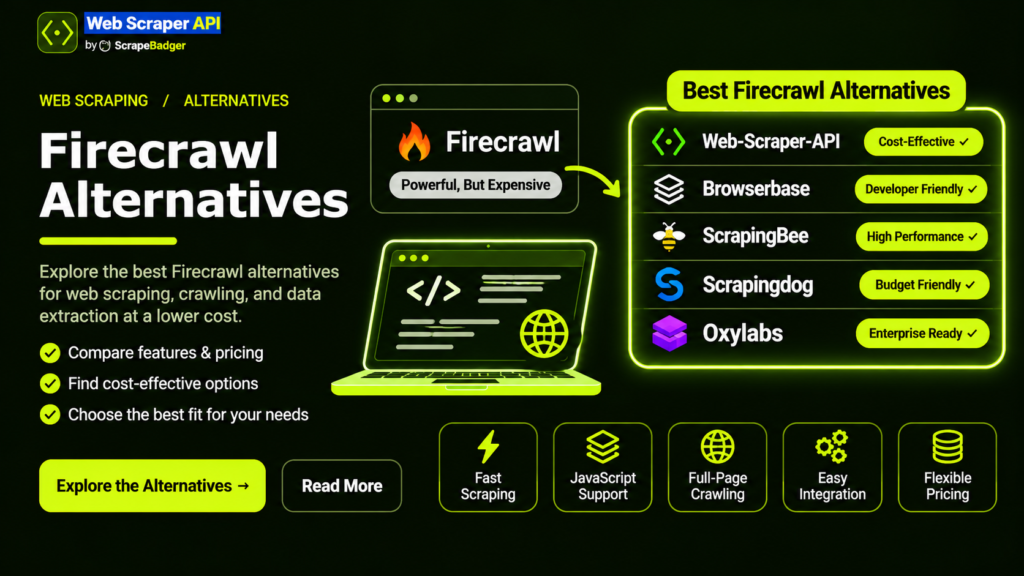
Crawling whole sites? Look at Crawl4AI (free, self-hosted), Spider (cheapest per page) or Scrapfly (crawler plus anti-bot). Fetching single pages behind bot protection on a predictable bill is Web-Scraper-API's job. And if your agent needs search and extract in one call, Tavily fits.
| Tool | Best for | Crawls sites? | MCP server | Free tier | From | Per 1,000 JS pages |
|---|---|---|---|---|---|---|
| Firecrawl (baseline) | All-in-one crawl, map, search | Yes | Yes | 1,000 credits/mo | $19/mo | $0.99 (Standard) |
| Web-Scraper-API | Protected pages at a capped cost | No | Yes | 1,000 credits | $10 PAYG, $49/mo | $0.57 (Starter) |
| Crawl4AI | Free self-hosted crawling | Yes | Yes | 1,000 Cloud credits/mo | Free / $10/mo Cloud | $1.00 (Cloud) |
| Spider | Cheap large crawls | Yes | Yes | Playground only | $1 PAYG | $0.035-0.155 |
| Apify Website Content Crawler | Scheduled RAG crawls, no code | Yes | Yes | $5/mo usage | $19/mo | ~$0.50-5 |
| Scrapfly | Crawls of protected sites | Yes | Yes | 1,000 credits | $30/mo | $0.90 |
| Tavily | Agents that search, then read | Yes, shallow | Yes | 1,000 credits/mo | $30/mo | $1.50 (extract) |
| Jina Reader | One URL to Markdown, fast | No | Yes | 10M tokens per key | Token-based | Token-based |
| Bright Data | Hard targets, flat price | Not documented | Yes | 5,000 requests/mo | $1.50 per 1K | $1.50 |
What Firecrawl does well (and what it charges)
Firecrawl turns a URL into clean Markdown for an LLM. Around that core sit a crawl endpoint that follows links across a site, a map endpoint that lists a domain's URLs, web search, an agent endpoint and an MCP server. One key covers all of it, and the code is open source under AGPL-3.0.
Its pricing is simpler than most of the field. According to its billing docs, a scrape, a crawled page or a batch page costs 1 credit, and JavaScript rendering is included. A map call costs 1 credit whether it returns 10 URLs or 100,000. Search costs 2 credits per 10 results.
| Plan | Price/month | Credits/month | Concurrent requests |
|---|---|---|---|
| Free | $0 | 1,000 | 2 |
| Hobby | $19 | 5,000 | 5 |
| Standard | $99 | 100,000 | 25 |
| Growth | $399 | 500,000 | 50 |
| Scale | $749 | 1,000,000 | 100 |
Source: Firecrawl pricing. Verified November 2026.
That works out to $0.99 per 1,000 pages on Standard ($99 / 100,000 x 1,000) and $3.80 on Hobby. Reviewers like it too: Firecrawl holds 4.6 out of 5 on G2, from roughly 400 reviews.
So why leave?
Why teams look for a Firecrawl alternative
Some formats cost 5x. The 1-credit page stops being 1 credit once you ask for more than Markdown. JSON extraction adds 4 credits per page, and so do the question, highlights and PII-redaction options (scrape docs). A JSON page on Standard costs $4.95 per 1,000, not $0.99. And a page that comes back as a 403 or 404 still costs 1 credit, because Firecrawl returned a document (billing docs).
Protected sites. Firecrawl's proxies cover 26 countries, but its enhanced proxies only run in the US and the Netherlands (proxy docs). In the default auto mode, a request that starts on basic proxies escalates once to enhanced after a 401, 403 or 429 (docs). None of the pages we read claims a Cloudflare bypass, and in G2 reviews some users say protected sites still block them (user sentiment, not a measured rate).
Self-hosting and compliance. The open-source version leaves out bot-protection bypass, proxy rotation and browser actions, which are cloud-only per the repo's own comparison. A maintainer has also said the cloud version of /map depends on code that isn't in the self-hosted build (issue #1217). On the hosted side, Firecrawl "processes all data in the United States and does not offer EU data residency" (security docs).
Below the Scale plan, unused credits don't roll over either. If your usage is lumpy, you pay for the empty months.
The 7 features to check in a Firecrawl alternative
Score every candidate on these seven, in this order. The first two are where Firecrawl is strongest, so they're where a replacement most often falls short.
1. Markdown that's ready for an LLM
Native Markdown isn't rare anymore. What separates tools is the cleanup. Firecrawl's onlyMainContent (on by default) strips headers, navs and footers with a fixed HTML rule, and a beta onlyCleanContent option runs an extra LLM pass (API reference). Crawl4AI, Scrapfly, Jina Reader and Apify all have a main-content filter of their own. Some APIs simply convert the whole page, menus and cookie banner included.
Why care? Every leftover nav link becomes tokens you pay an LLM to read.
Bottom line: Check for a main-content filter, not just a Markdown flag.
2. Crawl and map
A crawl follows links from one URL across a site, with a depth limit and a page limit. A map returns the URL list without the content. Firecrawl has both, plus sitemap handling. Crawl4AI, Spider, Scrapfly, Apify and Tavily crawl; Spider, Tavily and the Crawl4AI library also map. Web-Scraper-API, Jina Reader and Bright Data's documented endpoints don't crawl at all. You bring the URLs.
Bottom line: If your job is "ingest this whole docs site", this criterion alone cuts the list in half.
3. JS rendering, and what it does to the price
Nearly everyone renders JavaScript now. The difference is the bill. Firecrawl and Bright Data include it in the base price, and Spider charges compute time only. Elsewhere it's a multiplier: 2x on Crawl4AI Cloud, 6x on Scrapfly, and about 2.3x on Web-Scraper-API (7 credits against 3 for a plain page).
Here's the thing: a multiplier on a cheap base can still beat a flat price. Run the per-page number, not the multiplier.
Bottom line: Find out what share of your target pages actually need a browser before you compare plans.
4. Anti-bot and residential proxies
Check two things: which protection systems a vendor names, and what residential traffic costs. Web-Scraper-API names Cloudflare, DataDome, Akamai, Imperva, PerimeterX and Kasada. Scrapfly charges 25 credits for a residential request (30 with a browser), and ScrapingBee's stealth tier runs to 75. Bright Data's Unlocker folds proxies into its $1.50 per 1,000.
Bottom line: A tool that's cheap on easy pages and blocked on the ones you need isn't cheap
5. Real cost per 1,000 pages, and who pays for failures
Use one formula for every tool: cost per 1,000 pages = plan price ÷ plan credits × credits per page × 1,000.
Then check failure billing. Firecrawl bills a returned 403 or 404 page. Web-Scraper-API, Scrapfly, Spider, Tavily and Jina Reader say failed or blocked requests cost nothing, and Bright Data charges only for successful requests.
Bottom line: Price per credit is marketing. Price per useful page is your bill.
6. An MCP server for agents
Searched "firecrawl mcp server" to get here? Short version: Firecrawl's MCP server is MIT-licensed and runs hosted or through npx. It supports OAuth and registers 27 tools in its full profile, or 3 when used without a key. It's the bar to beat. Every tool on this list has an MCP server, so compare scope (scrape only, or crawl and search too), hosting and auth. Our MCP integration page covers our setup.
Bottom line: Pick an MCP whose tools match what your agent actually asks for.
7. Open source and lock-in
Firecrawl is AGPL-3.0, which some companies won't run. Crawl4AI is Apache-2.0, Jina's Reader is Apache-2.0 (its ReaderLM models aren't licensed for commercial use) and Spider's crawler crate is MIT. Scrapfly, Apify, Tavily and Bright Data open-source their MCP servers, not their services. Web-Scraper-API isn't open source.
Bottom line: If self-hosting is a hard requirement, the list is Crawl4AI, Spider's crate or Jina's Reader.
Scorecard
| Tool | Markdown cleanup | Crawl / map | JS cost | Anti-bot | Failed pages | MCP | Open source |
|---|---|---|---|---|---|---|---|
| Firecrawl | Yes, + LLM pass (beta) | Both | Included | enhanced proxy, US/NL | 403/404 billed | Yes | AGPL |
| Web-Scraper-API | Not documented | Neither | 7 vs 3 credits | 6 named systems | Free | Yes | No |
| Crawl4AI | Fit Markdown | Both (library) | 2x on Cloud | Proxies on Cloud, your own self-hosted | Not published | Yes | Apache-2.0 |
| Spider | Boilerplate stripped | Both | No surcharge | Residential, 199 countries | Free | Yes | MIT crate |
| Apify WCC | Main-content transformer | Crawl + sitemaps | ~$0.50-5 vs ~$0.20 | Residential $8/GB | Compute-based | Yes | MCP only |
| Scrapfly | only_content | Crawl + sitemaps | 6x | Residential 25x | Free | Yes | MCP only |
| Tavily | Default Markdown | Both, depth 5 max | Not documented | n/a | Free | Yes | MCP only |
| Jina Reader | Boilerplate removed | Neither | Browser by default | Country proxy | Free | Yes | Apache-2.0 |
| Bright Data | data_format=markdown | Not documented | Included | Unlocker | Success only | Yes | MCP only |
The 8 best Firecrawl alternatives
1. Web-Scraper-API: best for protected pages at a predictable cost
Web-Scraper-API turns a URL into HTML, Markdown or plain text, with anti-bot bypass and JS rendering behind one endpoint.
It does not crawl or map. If you need Firecrawl's /crawl or /map, pair it with a crawler or a sitemap, or pick Spider, Scrapfly or Crawl4AI instead.
Where it wins is price per rendered page and cost control. A plain page costs 3 credits and a JS-rendered page 7 (scrape reference). Blocked responses cost nothing, retries are free, and max_cost makes a request fail rather than spend more than the cap you set.
Pricing: 1,000 free credits, no card. Pay as you go from $10 at $0.15 per 1,000 credits, credits never expire. Starter is $49/month for 600,000 credits (pricing).
- Starter: $49 / 600,000 x 7 x 1,000 = $0.57 per 1,000 JS pages, $0.25 per 1,000 plain pages
- Pay as you go: $1.05 per 1,000 JS pages
So $49 buys about 85,700 rendered pages, against 100,000 pages for $99 on Firecrawl Standard.
MCP: hosted at mcp.scrapebadger.com with OAuth, documented for Claude, ChatGPT, Cursor, Windsurf, VS Code, Gemini and more, at the same credit prices (MCP docs).
Pros
- Lower cost per JS page than Firecrawl Standard, Scrapfly Discovery, Crawl4AI Cloud or Bright Data
- Failed and blocked requests are free, and
max_costcaps spend per request - Six anti-bot systems named on its pricing page
Cons
- No crawl or map endpoint
- No documented main-content filter for Markdown
- A premium proxy adds a surcharge on top of the 3 or 7 credits
2. Crawl4AI: best free, self-hosted replacement
Crawl4AI is the open-source library most lists reach for, and for good reason. It's Apache-2.0, deep-crawls with BFS, DFS or best-first strategies (max_depth, max_pages, per its docs), and its "fit Markdown" filters strip menus and footers (PyPI). A hosted Cloud tier exists too.
Pricing: free to self-host. Cloud is $10/month for 10,000 credits; a basic page is 0.5 credits and a browser page 1, so $0.50 and $1.00 per 1,000 (Cloud pricing). The page says prices may change during its soft launch.
Pros: real crawl and URL discovery, no license worries, an MCP for self-hosted and Cloud. Cons: self-hosted means you run the browsers and proxies; Cloud is new and its prices may still move.
3. Spider: best for cheap crawls at volume
Spider is a crawl-first API built on an MIT-licensed Rust crawler. /crawl takes limit and depth, /links maps a site without content, and output can be Markdown (API).
Pricing: pay as you go from $1, credits don't expire, no JS surcharge (pricing guide). Spider's own averages put browser pages at roughly $0.035-0.155 per 1,000. Failed requests cost nothing. Proxied traffic bills at 1.5x to 4x.
Pros: lowest per-page cost on this list, crawl and map, residential proxies in 199 countries. Cons: no free credits beyond a daily playground; its AI endpoints need a separate AI plan.
4. Apify Website Content Crawler: best for scheduled RAG crawls without code
Apify appears on more Firecrawl-alternative lists than any other tool (13 of the 15 we checked). Website Content Crawler outputs Markdown, strips navigation by default, takes max-pages and depth settings, and reads sitemaps for incremental crawls (actor page).
Pricing: $5/month free usage, Starter $19/month. Apify estimates about $0.20 per 1,000 pages with the raw HTTP crawler and $0.50-5 with a headless browser. Residential proxies are $8/GB on Starter (pricing).
Pros: scheduling, integrations, 4.6 from 234 ratings in the Apify Store. Cons: compute-based billing is hard to predict before a run; the browser estimate spans 10x.
5. Scrapfly: best for crawling protected sites
Scrapfly pairs a Crawler API (page_limit, max_depth, path filters, a credit budget, per its crawler docs) with anti-bot handling, and its Scrape API returns format=markdown:only_content (scrape docs). Its MCP server is open source.
Pricing: 1,000 free credits; Discovery is $30/month for 200,000. A plain page is 1 credit, a JS page 6 and a residential JS page 30 (billing), so $0.15, $0.90 and $4.50 per 1,000. Failed scrapes aren't billed, though protection switches off if 30% or more of a day's scrapes get blocked.
Pros: the closest like-for-like Firecrawl swap on protected sites. Cons: residential traffic gets expensive, and its Unblocker can switch proxy pools on its own, which changes the cost. See our Scrapfly alternative page for more.
6. Tavily: best for agents that search, then read
Tavily is search-first. Its extract endpoint returns Markdown, crawl goes up to depth 5, and map lists URLs (crawl docs).
Pricing: 1,000 free credits a month; Project is $30 for 4,000. Extract costs 1 credit per 5 URLs, so $1.50 per 1,000 pages, and a crawl about $2.25 (credits). Failed extractions are free.
Pros: search, extract, crawl and map behind one hosted MCP. Cons: shallow crawls only; JS and proxy handling aren't documented.
7. Jina Reader: best for one URL to Markdown, fast
Put r.jina.ai/ in front of a URL and you get Markdown back. No SDK. It renders in a headless browser by default, removes boilerplate, and has a hosted MCP (Reader).
Pricing: billed by tokens; a free key gets 10M tokens and 500 requests a minute. Failed requests aren't charged. We couldn't read Jina's per-token price because its pricing dashboard blocks automated access.
Pros: the fastest setup on this list; the Reader is Apache-2.0. Cons: no crawl or map; the ReaderLM models need a commercial license.
8. Bright Data: best for hard targets at a flat price
Bright Data's Web Unlocker returns Markdown with data_format=markdown, includes JS rendering, and handles proxies and CAPTCHAs itself (API). Its official MCP has 32 tools and 5,000 free requests a month.
Pricing: pay as you go at $1.50 per 1,000 requests, charged only on success (pricing).
Pros: same price for easy and protected pages; big free MCP tier. Cons: no documented crawl; $1.50 is steep for plain pages.
Try Web-Scraper-API free. 1,000 credits, no card, Markdown out of the box. Get your API key
Web-Scraper-API vs Firecrawl
| Web-Scraper-API | Firecrawl | |
|---|---|---|
| Output | HTML, Markdown, text, screenshots | Markdown, HTML, JSON, links, screenshots and more |
| Crawl / map | No | Yes |
| Plain page | 3 credits | 1 credit |
| JS page | 7 credits | 1 credit |
| Cost per 1,000 JS pages | $0.57 (Starter) | $0.99 (Standard) |
| Failed or blocked page | 0 credits | 403/404 billed 1 credit |
| MCP | Hosted, OAuth | Hosted or local, OAuth |
| Open source | No | AGPL-3.0 |
| Free tier | 1,000 credits | 1,000 credits/month |
Bottom line: we win on rendered single pages and spend control. Firecrawl wins on anything that needs a crawl.
How to migrate from Firecrawl
Most single-page code moves in a few minutes. Here's the same request on both:
# Firecrawl
curl -X POST https://api.firecrawl.dev/v2/scrape \
  -H "Authorization: Bearer fc-YOUR_API_KEY" \
  -H "Content-Type: application/json" \
  -d '{"url": "https://example.com", "formats": ["markdown"]}'

# Web-Scraper-API
curl -X POST "https://scrapebadger.com/v1/web/scrape" \
  -H "x-api-key: YOUR_API_KEY" \
  -H "Content-Type: application/json" \
-d '{"url": "https://example.com", "format": "markdown", "render_js": true}'| Firecrawl | Web-Scraper-API |
|---|---|
/v2/scrape with formats: ["markdown"] | /v1/web/scrape with format: "markdown" |
| JSON format | ai_extract: true with an ai_prompt (+2 credits) |
| Actions (click, scroll, wait) | js_scenario (click, fill, scroll, wait) |
/v2/crawl, /v2/map | No equivalent. Read the site's sitemap and send each URL to /v1/web/scrape |
Your Firecrawl API key lives in the Firecrawl dashboard. Keep it live for now: run both tools on the same 50 URLs for a week, compare content and credits_used, then switch.
When to stay with Firecrawl
Stay if crawl and map are the core of your job, especially docs sites and knowledge bases. Stay if you want scrape, crawl, map, search and an agent behind one key and one bill. And honestly? If most of your pages need JS and you skip JSON mode, a flat 1 credit is hard to argue with at Growth or Scale ($0.80 and $0.75 per 1,000).
How to choose
| Your pain | Look at |
|---|---|
| JSON extraction makes the bill 5x | Web-Scraper-API (ai_extract +2), Scrapfly templates |
| Protected sites keep blocking | Web-Scraper-API, Scrapfly, Bright Data |
| Crawling large sites on a budget | Spider, Crawl4AI |
| Need to self-host, or AGPL is a no | Crawl4AI, Jina Reader, Spider's crate |
| Agent needs search plus content | Tavily |
| Scheduled crawls without code | Apify |
FAQ
What is the best Firecrawl alternative?
It depends on which feature you're replacing. Crawl4AI (free, self-hosted) and Spider (cheapest per page) are the strongest crawling picks. On single pages behind bot protection, Web-Scraper-API costs $0.57 per 1,000 JS pages on Starter with failed requests free. For agents that search first, Tavily.
Is there an open-source Firecrawl alternative?
Yes. Crawl4AI is Apache-2.0 and covers Markdown, deep crawling and URL discovery, and you can self-host it with Docker. Jina's Reader is also Apache-2.0, and Spider's Rust crawler is MIT. Firecrawl itself is open source under AGPL-3.0, but bot-protection bypass and proxy rotation are cloud-only.
Is Firecrawl free?
There's a free plan with 1,000 credits a month and no card. Each scraped page costs 1 credit, so that's about 1,000 pages a month. Unused free credits don't roll over, and when they run out, requests return HTTP 402 errors.
How much does Firecrawl cost per 1,000 pages?
On Standard ($99 for 100,000 credits) it's $0.99 per 1,000 Markdown pages, JS rendering included. JSON extraction adds 4 credits per page, which makes it $4.95. Hobby works out to $3.80 per 1,000, and Scale to about $0.75.
Does Firecrawl have an MCP server?
Yes. The official firecrawl-mcp server is MIT-licensed, runs hosted or locally through npx, supports OAuth, and registers 27 tools in its full profile, including scrape, crawl, map and search. Keyless hosted sessions get 3 tools. Every alternative in this post also has an MCP server.
Should I use Firecrawl or Crawl4AI?
Pick Crawl4AI if you want free, self-hosted crawling under a permissive license and don't mind running browsers and proxies yourself. Pick Firecrawl if you want a managed service with search and an agent endpoint, and you're fine with AGPL for the open-source parts.
The short version
Firecrawl isn't overpriced so much as bundled. Work out which of its seven features you actually lean on, then pick the tool that wins on that one. Before you migrate, test two finalists on free credits with the same URL list. Numbers on your own targets beat any table, ours included.
Related reading